

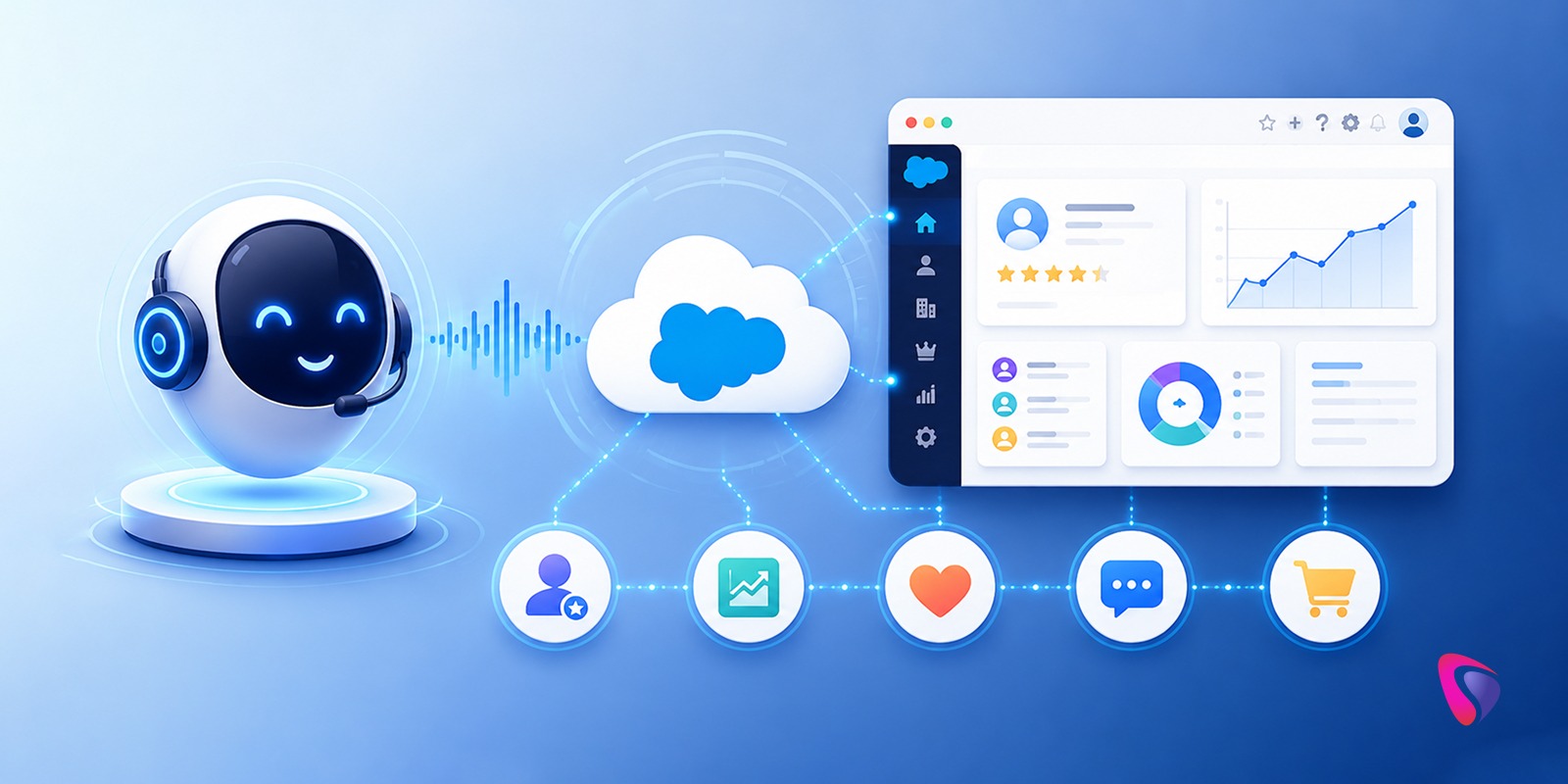




Most Salesforce implementations share a common blind spot. The CRM holds an enormous amount of valuable customer intelligence - relationship history, open cases, recent interactions, account context - and yet the moment a customer picks up the phone, that intelligence often becomes inaccessible. The agent scrambles to pull up the record while the customer waits. The IVR system asks questions the CRM already knows the answers to. The interaction starts from zero when it could start from a complete picture.
AI voice assistants connected directly to Salesforce change that dynamic in ways that are practical, measurable, and increasingly within reach for organizations that aren't running enterprise-scale AI research teams.
This isn't a speculative technology conversation. Companies in customer service, sales, healthcare, real estate, and financial services are deploying these systems in production right now - voice assistants that retrieve customer records mid-conversation, update CRM fields automatically after a call ends, qualify leads before a human agent is ever involved, and schedule appointments without anyone checking a calendar manually. The architecture is mature enough to implement reliably. The question is how to implement it well.
This guide covers what that actually requires: the architectural components, the Salesforce integration layer, the implementation sequence, where deployments run into trouble, and what the best-performing teams are doing differently.
Why AI Voice Assistants and Salesforce CRM Are a Powerful Combination
An AI voice assistant is a conversational system that communicates through spoken language - understanding what someone says, reasoning about what they need, taking action on it, and responding in natural speech. The distinction from traditional IVR systems is architectural, not just cosmetic.
Traditional IVR systems work through rigid menu structures and keyword matching. They require callers to navigate predefined paths and fail immediately when a caller's request falls outside what was anticipated. Anyone who has ever said "representative" seven times into a phone menu understands the ceiling of that approach.
Modern voice assistant app development uses a combination of technologies that produce genuinely different behavior. Understanding how to create a voice assistant app that performs reliably in production - not just in demos - starts with these foundational components.
What transforms these capabilities from impressive demonstrations into operational business value is the integration layer - specifically, what the AI can access and do when it understands what the caller needs. An AI that understands "I need to reschedule my appointment" but can't see the Salesforce calendar or update the record is a dead end. The same AI with live access to Salesforce can confirm the existing appointment, offer available times, reschedule it, send a confirmation, and update the contact record - in a single conversation, without a human involved.
That's the difference Salesforce integration makes.
How AI Voice Assistants Work with Salesforce CRM
Understanding the end-to-end workflow is important before evaluating architecture options, because each step has implementation implications.
When a customer initiates contact - through a phone call, mobile app, website widget, or smart device - the voice assistant receives the audio input and begins processing it in real time. Speech recognition transcribes what the caller said into text. The natural language processing (NLP) layer analyzes that text to determine intent: what is this person trying to accomplish, what's the emotional tone of the request, and what context from earlier in the conversation is relevant?
With intent identified, the integration layer queries Salesforce. This might mean pulling a customer profile from the Contacts object, checking an open case in Service Cloud, retrieving an opportunity stage from Sales Cloud, or accessing account history from multiple objects simultaneously. The speed of this retrieval matters - callers experience latency as awkwardness, and a two-second pause to fetch data feels longer in a voice interaction than it does in a web interface.
The AI generates a response based on what it found. That response gets converted to speech and delivered to the caller. And critically - the assistant doesn't just answer and disconnect. It logs what happened. CRM records get updated. Tasks get created. Cases get opened or closed. Follow-up workflows get triggered. The conversation becomes data that the next touchpoint can build on rather than a transaction that disappears.
This closed loop - from customer input through CRM intelligence to action and record update - is what makes the integration valuable rather than just convenient.
Case study : Automating Real Estate Sales Pipelines
Core Components of a Salesforce AI Voice Assistant Architecture
Building this integration reliably requires understanding what each architectural layer does and where the critical design decisions live.
Speech Recognition Layer
Everything depends on accurately capturing what was said. In a controlled demo environment with a clear voice and no background noise, most speech recognition systems perform acceptably. In production - a customer calling from a car, using unfamiliar product names, speaking with an accent the model wasn't tuned for - accuracy degrades in ways that downstream components can't compensate for.
The requirements for production use are stricter than they appear in evaluation: low latency to avoid conversational gaps, high accuracy across diverse speaker demographics, handling of domain-specific terminology including product names and industry jargon, and graceful degradation when accuracy drops rather than confident misinterpretation.
Natural Language Understanding Layer
This is the reasoning layer - the component that translates "I haven't received my package and I'm pretty frustrated" into a structured understanding of intent (order status inquiry), sentiment (negative), and urgency (elevated). The quality of this layer determines whether the assistant handles conversational inputs effectively or breaks when a caller doesn't phrase things the way the training data assumed they would.
Context management is a critical capability here that's often underspecified in initial requirements. A caller who says "yes" two minutes into a conversation is agreeing to something. What they're agreeing to depends on what was said before. The assistant needs to track that thread accurately through a full conversation, not just respond to each utterance in isolation.
Large Language Model Integration
LLMs have changed what's possible in the response generation layer significantly, and purpose-built LLM integration services have made it practical to deploy these capabilities within existing enterprise architectures without rebuilding from scratch.
For Salesforce-connected deployments, the LLM needs to reason effectively about what it retrieved from the CRM to generate a response that's accurate, relevant, and appropriate for the context. An LLM that can produce fluent text but gets customer data wrong is worse than no AI at all.
Salesforce Integration Layer
This is where the architecture either delivers on its promise or creates problems that no amount of tuning elsewhere can fix. The integration layer connects the voice assistant to Salesforce APIs - REST APIs for most standard operations, Streaming APIs for real-time event triggers, SOAP APIs for specific legacy integrations.
The design decisions here are consequential. Which objects does the assistant have read access to? Which objects can it write to, and under what conditions? What happens when the Salesforce query returns ambiguous results - two contacts with the same name, for example? How are authentication and authorization handled when the caller hasn't been verified? How does the integration behave when Salesforce response times spike?
These aren't edge cases. They're scenarios every production deployment encounters, and the quality of the integration layer design determines whether they're handled gracefully or create failures that callers experience directly.
Business Logic Layer
Not every action the AI could take should be taken automatically. The business logic layer encodes the rules that govern what the assistant can do on its own versus what requires human approval or escalation.
A voice assistant that can update an opportunity stage without any approval logic might be efficient in straightforward cases and problematic in others. A system that escalates every edge case to a human is safe but doesn't deliver the efficiency benefits that justified the investment. Getting the boundary right - and then revisiting it as you learn from production behavior - is one of the more nuanced ongoing decisions in maintaining a Salesforce voice integration.
Key Business Benefits of AI Voice Assistant Integration with Salesforce
The case for this integration isn't primarily about technology capability - it's about operational outcomes that connect directly to revenue and cost metrics.
24/7 coverage without 24/7 staffing is the most immediately quantifiable benefit. Inquiries that arrive after hours, on weekends, or during high-volume periods that exceed team capacity get handled rather than queued. For organizations where lead response time directly affects conversion rates, the business case is straightforward.
Faster case resolution comes from eliminating the lookup time that consumes a significant portion of every support interaction. When the AI has already retrieved the customer record, identified the open case, and understood the nature of the inquiry before a human agent is involved - if one is involved at all - the time per interaction drops measurably.
Lead qualification at scale is where sales organizations often see the most compelling ROI. AI assistants that can gather qualification information, score leads against defined criteria, and schedule appointments with high-potential prospects before routing to a sales representative mean that human sellers spend more of their time on conversations that are likely to close. The pipeline quality improvement is often more significant than the volume improvement.
CRM data quality improvement is a benefit that's less intuitive but consistently shows up in mature deployments. When conversations update records automatically rather than relying on manual entry after the fact, the data is more complete, more timely, and more accurate. The downstream benefit to reporting, forecasting, and AI-driven personalization compounds over time.
Top Use Cases for AI Voice Assistants Across Industries
The range of applications is broader than the obvious customer service use case, and the value proposition differs meaningfully across them.
Customer service automation handles the highest volume of routine inquiries - order status, account information, FAQ responses, case creation for issues that need follow-up. The AI resolves what it can immediately and creates structured handoffs for what it can't, so human agents receive context rather than starting from zero.
Sales assistance is where the integration with Salesforce's opportunity management becomes particularly valuable. A voice assistant that can brief a sales rep on an account before a callback, capture notes from a customer conversation and update the opportunity record, or qualify an inbound inquiry and schedule a discovery call is directly contributing to pipeline velocity.
Appointment scheduling is a use case that sounds simple but eliminates a disproportionate amount of back-and-forth. Real-time calendar access through Salesforce means the assistant can offer actual availability, confirm in real time, send reminders, and update the CRM - without a scheduling coordinator involved at any step.
Internal employee assistance is an underexplored application that's gaining adoption in organizations where field teams - service technicians, sales representatives, healthcare workers - need CRM information while doing something else with their hands. Voice queries for account details, case history, or product information are more practical than screen-based lookup in field contexts.
Implementation: AI Voice Assistants with Salesforce CRM
Start With a Specific Business Problem, Not a Technology Vision
The implementations that underperform usually share a common starting point: the organization decided to "integrate AI voice with Salesforce" before deciding what specific problem that integration would solve. The ones that deliver measurable ROI started with a specific, quantifiable operational problem - lead response time, after-hours coverage, call handle time, CRM data completeness - and worked backward to the implementation.
The specificity matters because it determines where you focus conversation design effort, which Salesforce objects and fields matter, what success metrics you're tracking, and how you evaluate whether the system is performing.
Map the Salesforce Data Architecture Before Building Anything
Before selecting a voice platform or designing conversation flows, understand exactly what data the assistant needs access to and where it lives in Salesforce. The relevant Salesforce objects, the field-level data quality, the relationships between objects, and any data gaps that would prevent the assistant from answering the questions it will receive - these need to be understood before implementation starts, not discovered during testing.
This is also when the data quality reality check happens. AI voice assistants amplify whatever data quality exists in Salesforce. Clean, complete records produce accurate, helpful interactions. Incomplete or inconsistent records produce confusing or incorrect ones. If a CRM data cleanup is needed, it belongs at the start of the project, not after deployment reveals the problem.
Select the Platform Based on Your Specific Requirements
Platform selection decisions made based on vendor demos frequently lead to implementation problems that demos don't reveal. The relevant evaluation criteria for Salesforce voice integration include speech recognition accuracy on your specific domain vocabulary, NLP performance on the types of requests your callers actually make, native Salesforce connector quality versus custom API integration requirements, and how the platform handles the edge cases that will definitely occur in production.
Build proof-of-concept integrations against your actual Salesforce data - not synthetic test data - before committing to a platform. The gaps between what platforms promise in controlled demonstrations and what they deliver against real enterprise data structures are often material.
Design Conversation Flows for Failure, Not Just Success
The most common conversation design mistake is optimizing for the happy path and treating failure cases as secondary. In production, failure cases aren't secondary - misrecognized speech, ambiguous intent, callers who change direction mid-conversation, requests that fall outside defined flows - these are regular occurrences, not exceptions.
Every conversation flow needs explicit handling for: the case where intent can't be determined confidently, the case where Salesforce returns no result or multiple ambiguous results, the case where the caller provides contradictory information, and the case where the appropriate action is escalation to a human rather than automation. How those cases are handled determines a significant portion of the caller experience.
Implement Security Controls Before Going Live, Not After
Voice assistants connected to Salesforce are accessing customer data in real time during conversations that may not be fully authenticated. The security architecture needs to address: how the caller is verified before sensitive information is shared, what data the assistant can discuss with an unverified caller versus an authenticated one, how conversations are logged and for how long, and how the integration complies with applicable data privacy regulations.
These are particularly acute concerns in healthcare, financial services, and any context where the conversations involve protected information. Building security controls into the architecture from the start is substantially less expensive and disruptive than retrofitting them after the system is live.
Test in Conditions That Resemble Production
The testing failure mode that creates the most unpleasant surprises is testing in controlled conditions - quiet environment, cooperative test callers, inputs that stay within anticipated parameters - and then discovering in production that real callers are different. Real callers call from noisy environments. They use phrasing the conversation design didn't anticipate. They ask questions in sequence that create context management challenges. They get frustrated and say things that the happy-path testing didn't cover.
Testing needs to include adversarial inputs, high-latency Salesforce API responses, speech from diverse speaker demographics, and scenarios where the expected data doesn't exist in the CRM. The goal is to discover failure modes in testing rather than in production.
Common Challenges in Salesforce Voice Assistant Deployments
Poor CRM Data Quality
Data quality is the most common root cause of underperforming voice integrations. The assistant's ability to provide accurate, personalized responses depends entirely on the accuracy and completeness of the Salesforce data it's accessing. An assistant that confidently provides information from a CRM record that's six months out of date is not a useful tool.
Complex Enterprise Integrations
Integration complexity compounds quickly in large organizations. Most enterprise Salesforce deployments connect to multiple external systems - ERP, marketing automation, billing, support platforms. A voice assistant that needs data from multiple systems introduces latency, error surface area, and data consistency challenges that single-system integrations avoid. Planning for this complexity is significantly cheaper than discovering it during implementation - which is why many organizations choose to hire dedicated AI developers or partner with a leading AI development company before the architecture is locked in.
Customer and Employee Adoption Barriers
User adoption - on both the customer and employee sides - deserves more deliberate attention than most implementations give it. Customers who've been conditioned by years of frustrating IVR experiences bring skepticism to their first AI voice interaction. Employees whose workflows are being automated have legitimate questions about what changes for them. Both require communication, not just technology.
Best Practices for Successful AI Voice Assistant Deployments
The organizations getting the most consistent value from Salesforce voice integration share a few characteristics that aren't about technology choices.
They track the right metrics from day one. Not just technical metrics like speech recognition accuracy, but business metrics like first-call resolution rate, handle time, customer satisfaction scores, and lead conversion rates for AI-qualified prospects. The metrics determine whether the system is working, and they're harder to establish retroactively than they are to build in from the start.
They treat the initial deployment as the beginning of an optimization cycle, not the end of an implementation project. Conversation analytics - what callers are asking that the assistant can't handle, where escalations are happening, what failure patterns are recurring - are inputs to ongoing improvement. The systems that perform best eighteen months after launch are the ones where someone has been reading those signals and acting on them.
They maintain meaningful human escalation paths rather than trying to automate everything. The boundary between what the AI handles and what goes to a human should be drawn based on what produces the best outcome for the caller, not based on what's technically possible to automate. Complex situations, frustrated customers, and high-value interactions often belong with a human agent - and a well-designed voice assistant recognizes that and escalates smoothly rather than attempting to handle everything.
Future Trends in AI Voice Assistants and Salesforce CRM
The trajectory of AI voice assistants in Salesforce environments points clearly toward greater autonomy and broader scope.
Salesforce's Agentforce platform is enabling increasingly autonomous AI-powered interactions - agents that don't just answer questions but complete multi-step business processes end-to-end. A voice assistant that can handle the entire sales qualification process, from initial inquiry through appointment scheduling to CRM record creation, without human involvement at any step, represents a meaningful operational capability shift for sales organizations.
Multimodal experiences - where voice interaction is combined with simultaneous visual elements, text confirmations, or in-app prompts - are maturing in ways that make the phone call a richer channel than it has historically been. A customer calling to discuss a contract renewal can simultaneously receive a summary document. A patient scheduling an appointment can receive intake forms during the call.
Real-time personalization based on CRM context is becoming more sophisticated as the integration between voice systems and Salesforce data deepens. The assistant that knows a customer's service history, product usage patterns, and account status before the first word is spoken is capable of a qualitatively different kind of interaction than one working from a blank slate.
Conclusion
Integrating AI voice assistants with Salesforce CRM is one of the more concrete and measurable AI investments available to customer-facing organizations right now. The technology is mature enough to deploy reliably. The integration patterns are well-established. The business case - in faster response times, higher lead conversion, lower handle times, and better CRM data quality - is quantifiable rather than speculative.
What separates implementations that deliver on that case from the ones that produce expensive demonstrations is the quality of the planning and design work - whether that's done internally or with an AI-powered CRM development company - before any technology is deployed. . Understanding the specific business problem clearly enough to design the right conversation flows. Knowing the Salesforce data architecture well enough to identify gaps before they surface in production. Building security and governance in from the start rather than after a breach of trust. Designing for failure cases as carefully as for success cases.
The organizations implementing this well in 2026 aren't necessarily the ones with the most sophisticated AI infrastructure. They're the ones that treated the business problem with the same rigor they brought to the technology - and let one inform the other throughout the process.
FAQ’s
Q1: Can AI voice assistants access Salesforce data in real time during a call?
Yes. With proper API integration, voice assistants can query Salesforce objects mid-conversation - retrieving customer records, open cases, and account history before a human agent ever gets involved.
Q2: What's the biggest reason Salesforce voice integrations underperform?
Data quality. The assistant can only be as accurate as the CRM records it's accessing. Incomplete or outdated Salesforce data produces incorrect, unhelpful responses regardless of how good the AI is.
Q3: Does the AI handle every call, or does it escalate to humans?
Both. Well-designed systems handle routine inquiries autonomously and escalate complex situations, frustrated customers, or high-value interactions to human agents - with full context already transferred.
Q4: How long does implementation typically take?
Depends on Salesforce data readiness and integration complexity. Organizations with clean CRM data and straightforward use cases move faster. Legacy system integrations and data quality remediation are the most common timeline extenders.
Q5: Is this technology only for large enterprises?
No. The architecture has matured enough that mid-sized organizations in customer service, sales, healthcare, and real estate are deploying production systems without enterprise-scale AI teams.