
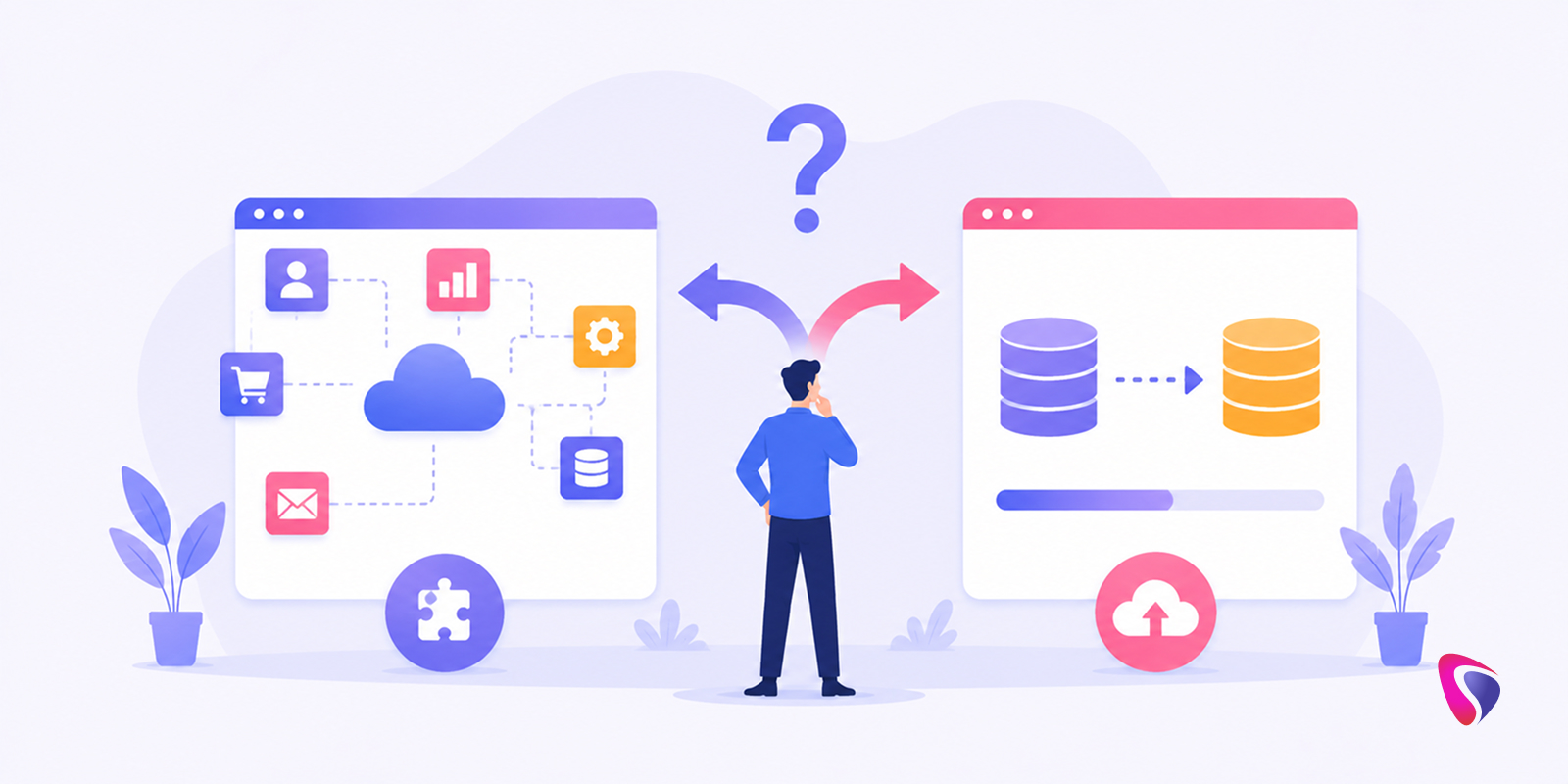



Salesforce integration and Salesforce migration are not the same thing. They solve different problems, carry different costs, and require different levels of disruption to pull off. Treating them as interchangeable options is one of the more expensive mistakes organizations make during digital transformation initiatives.
In 2026, technology ecosystems have gotten more complex, not less. Most businesses are running some combination of ERP systems, marketing automation platforms, data warehouses, eCommerce infrastructure, customer support tools, and AI applications simultaneously. The question of how Salesforce fits into that picture - whether by connecting to existing systems or replacing some of them - deserves a more careful answer than it usually gets.
This guide lays out both strategies honestly: what each one actually involves, where each one makes sense, what the real challenges are, and how to think through the decision for your specific situation.
Understanding Salesforce Integration
Salesforce integration means connecting Salesforce to other business systems so data can move between them automatically - without anyone manually re-entering it, and without systems operating in isolation from each other.
The existing software stays. Nothing gets replaced. What changes is that Salesforce and the other platforms start talking to each other.
Common integration scenarios include connecting Salesforce to ERP systems, accounting software, marketing automation platforms, customer support tools, eCommerce platforms, data warehouses, AI applications, and collaboration tools.
The goal is a connected ecosystem where information flows where it needs to go, when it needs to get there, without human coordination in the middle.
How Salesforce Integration Works
The practical effect of a well-built integration shows up in how different teams experience the same customer information.
A sales representative updates a customer record in Salesforce. That update synchronizes automatically with the ERP system. Finance teams see accurate customer data without anyone sending them a spreadsheet. Customer service representatives pull up the same record and see everything current - no calls to another department, no waiting for a manual sync.
That elimination of data silos and duplicated effort is what integration is actually delivering. The technology is the mechanism; the outcome is teams working from the same information at the same time. Organizations that partner with a specialized Salesforce development company for this work consistently report cleaner implementations than those who treat integration as something internal teams can handle alongside their existing responsibilities - the combination of platform expertise and integration architecture experience is what makes the difference between a connection that holds and one that requires constant maintenance.
What Is Salesforce Migration?
Salesforce migration is a different kind of project entirely. Instead of connecting Salesforce to existing systems, migration moves data, processes, and business operations from another system into Salesforce - typically replacing it in the process.
Common migration scenarios include moving from a legacy CRM to Salesforce, consolidating multiple disconnected CRM systems into one, replacing spreadsheet-based sales management with a proper platform, and transitioning customer service operations to Salesforce Service Cloud.
Where integration keeps existing systems and adds connectivity, migration consolidates operations onto Salesforce as the central platform.
How Salesforce Migration Works
Migration projects follow a fairly consistent sequence, even if the details vary considerably by organization.
It starts with a data assessment - understanding what exists in the current system, how it's structured, and what condition it's in. From there, data mapping aligns existing records with Salesforce objects. Data cleansing removes duplicates and fixes inaccurate records before anything moves. Then comes the actual migration, followed by validation and testing to confirm data transferred correctly and the system works as expected. Finally, and often most importantly, user adoption work begins - helping employees shift their actual day-to-day work into the new platform.
That last step is where many migration projects run into more difficulty than anticipated. The technical work is usually manageable. Getting people to genuinely change how they work takes more deliberate effort.
Salesforce Integration vs. Migration: The Core Difference
The simplest framing that holds up: integration keeps systems connected, migration consolidates systems into Salesforce.
Integration is the right answer when existing systems are working and the problem is that they aren't sharing information effectively. Migration is the right answer when an existing system has outlived its usefulness and Salesforce is the better long-term platform for that function.
Neither is universally superior. The right choice depends entirely on what problem is actually being solved.
Salesforce Integration vs. Migration: Quick Comparison
| Feature | Salesforce Integration | Salesforce Migration |
|---|---|---|
| Primary Goal | Connect systems | Replace systems |
| Existing Software | Retained | Often retired |
| Data Movement | Continuous synchronization | One-time or phased transfer |
| Business Disruption | Lower | Moderate to High |
| Project Complexity | Moderate | High |
| Implementation Timeline | Shorter | Longer |
| Cost | Moderate | Higher |
| User Change Impact | Lower | Significant |
| Scalability | High | High |
| Digital Transformation Impact | Incremental | Transformational |
Why Businesses Choose Salesforce Integration
Most organizations of any meaningful size are running multiple specialized systems simultaneously - and for good reason. An ERP handles finance and inventory in ways a CRM never will. A dedicated marketing automation platform has capabilities that general CRM marketing modules don't fully replicate. A data warehouse processes analytical workloads that operational systems aren't designed for.
Replacing every one of those systems with Salesforce equivalents isn't just expensive - in many cases it's the wrong answer functionally. Integration lets organizations keep the specialized tools that are working while closing the gaps between them.
Benefits of Salesforce Integration
Improved Data Visibility
When systems are connected, teams get a unified view of customers, transactions, and operational data without anyone manually assembling it.
Increased Productivity
Employees stop re-entering data between systems. That sounds small until you calculate how much time it actually consumes across a team over a year.
Better Customer Experiences
Customer information stays consistent across departments. The sales team, support team, and billing team are all working from the same picture.
Real-Time Data Access
Updated information moves between systems automatically rather than batching overnight or waiting for a manual sync.
Lower Operational Costs
Automated workflows reduce the administrative overhead of keeping systems aligned.
Faster Business Processes
When data flows correctly, approval chains and cross-departmental processes move faster because nobody is waiting for information from another team.
Common Salesforce Integration Use Cases
Salesforce and ERP Integration
Synchronizing orders, inventory, pricing, and customer data between CRM and financial operations systems. This is one of the most common and highest-value integrations organizations build.
Salesforce and Marketing Automation Integration
Aligning campaign data with sales activities so marketing teams understand what's converting and sales teams understand what prospects have seen.
Salesforce and eCommerce Integration
Pulling customer orders and transaction data directly into Salesforce so sales and support teams have complete purchase history without switching systems.
Salesforce and AI Platform Integration
Connecting Salesforce with AI tools for forecasting, automation, and intelligent customer engagement - an increasingly important integration category as AI adoption accelerates.
Salesforce and Customer Support Integration
Giving support teams access to complete CRM records in real time, so they're not asking customers to repeat information the organization already has.
Why Businesses Choose Salesforce Migration
Sometimes the honest assessment of an existing system is that maintaining it is costing more than replacing it. Legacy software reaches end-of-life. Maintenance costs creep up. Scaling limitations start blocking growth. Data fragmentation across too many systems creates problems that integration alone can't fully solve.
Migration makes sense when the current platform has become a constraint rather than an asset - and when Salesforce can realistically replace its core functions.
Benefits of Salesforce Migration
Unified Customer Data
All customer information lives in one place. Reports pull from one source of truth rather than requiring reconciliation across systems.
Reduced Technology Complexity
Fewer systems mean fewer integration points to maintain, fewer vendor relationships to manage, and fewer places for something to break.
Improved User Experience
Employees work within one ecosystem rather than switching between platforms constantly.
Enhanced Reporting
A single data source produces reports that are more reliable and easier to build.
Better Scalability
Salesforce is built to grow. Organizations moving onto the platform gain infrastructure that supports future expansion rather than running into the ceiling of an aging system.
Lower Long-Term Maintenance Costs
Retiring a legacy system eliminates the ongoing cost of keeping it running and integrated with everything else.
Common Salesforce Migration Scenarios
- Legacy CRM Replacement - Organizations moving off outdated CRM platforms that no longer meet current needs in terms of functionality, scalability, or vendor support.
- Spreadsheet-Based Sales Management - Businesses that have outgrown tracking deals and customers in spreadsheets and need an actual CRM infrastructure.
- Multiple CRM Consolidation - Organizations that have accumulated several disconnected CRM systems - often through acquisitions - and need to bring them into a single platform.
- Digital Transformation Programs - Modernizing customer engagement operations as part of a broader technology transformation initiative.
- Cloud Adoption Initiatives - Moving away from on-premises systems to cloud-based infrastructure for the flexibility and maintenance advantages that come with it.
Key Challenges of Salesforce Integration
Integration projects are often underestimated in terms of the ongoing work they require.
Data Synchronization Issues
Inconsistent data structures between systems create synchronization problems that can be deceptively difficult to resolve cleanly.
API Limitations
Third-party systems impose their own API rate limits and restrictions that constrain how frequently and how much data can move between platforms.
Security and Compliance Requirements
Data sharing across systems needs to comply with organizational policies and regulatory requirements, which adds governance complexity.
Integration Maintenance
Connected systems don't stay connected without attention. When one system updates its API or data model, integrations break and need to be rebuilt. Organizations that hire Salesforce developers specifically for ongoing integration maintenance - rather than treating it as something handled reactively when something breaks - spend significantly less time in emergency repair mode and significantly more time getting value from the connections they've built.
Complex Architecture
Each new integration adds to the overall technical complexity of the environment. Managing twenty integrations is a different operational challenge than managing five.
Key Challenges of Salesforce Migration
Migration projects carry more risk and complexity than integration projects in most cases.
Data Quality Problems
Legacy systems almost always contain duplicate records, missing data, and inaccurate information accumulated over years. Cleaning that data before migration is time-consuming and often reveals problems nobody knew existed.
User Adoption Resistance
Employees who have used the same system for years resist changing. This isn't irrational - workflows and habits are genuinely embedded in existing tools. Change management is not optional.
Downtime Risks
Migration activities can temporarily impact operations, particularly for systems that run business-critical processes.
Customization Requirements
The existing system may have customizations and configurations that need to be rebuilt or reconsidered in Salesforce.
Project Scope Expansion
Migration initiatives have a tendency to grow beyond original estimates as the full complexity of the existing environment becomes clear during execution.
Salesforce Integration vs. Migration: Cost Comparison
Cost structures for the two approaches are genuinely different - and comparing them requires looking at both upfront and ongoing costs.
Integration costs typically include API development, middleware tools or integration platforms, and ongoing maintenance of the connections. Integration is generally the lower upfront investment, but the maintenance cost is perpetual.
Migration costs typically include data assessment, data cleansing, system configuration, user training, and change management. The upfront investment is higher - often significantly higher for complex organizations - but the long-term cost of maintaining one fewer system can make it the more economical choice over a multi-year horizon.
Neither is automatically cheaper. The right comparison is total cost of ownership over the relevant timeframe, not just initial project cost.
Which Strategy Is Better for Small Businesses?
For smaller organizations with relatively simple technology environments, migration often makes more sense - particularly when existing systems are limited or when the organization wants to centralize operations on a modern platform rather than managing multiple integrations.
That said, if a small business relies heavily on specialized software that serves functions Salesforce doesn't fully replicate, integration is the smarter approach. The size of the organization matters less than the specific systems in play and what replacing them would actually cost in functionality.
Which Strategy Is Better for Enterprises?
Large enterprises almost always need integration - and often need it regardless of whether they also undertake migration.
The reason is straightforward: replacing every mission-critical system across a large organization simultaneously is neither practical nor advisable. ERP systems, HR platforms, financial applications, and data warehouses aren't going to be retired because an organization is standardizing on Salesforce for CRM. Those systems need to be connected, not replaced.
Many enterprises end up with a hybrid approach: migrating legacy CRM systems and consolidating customer data into Salesforce while integrating the operational systems that stay in place. That combination is increasingly the standard answer for enterprise-scale transformation.
Salesforce Integration vs. Migration for AI and Automation
As AI adoption accelerates inside organizations, integration becomes even more important - not less.
AI-powered solutions need access to data from multiple systems simultaneously: CRM records, ERP data, customer service history, marketing interactions. An AI system that can only see Salesforce data is working with an incomplete picture. This is exactly where AI Integration Services add disproportionate value - connecting Salesforce to the broader data environment that AI applications need to function usefully, rather than leaving AI tools operating on an artificially narrow slice of the organization's actual information.
Integration is often what makes AI applications genuinely useful rather than theoretically interesting. At the same time, organizations pursuing serious AI transformation sometimes find that migrating fragmented data into Salesforce first - creating a clean, unified data foundation - is what makes subsequent AI integration practical.
Hybrid Approach: Combining Integration and Migration
In practice, the choice between integration and migration isn't always binary. A significant number of organizations end up doing both - migrating the systems that need to go and integrating the systems that need to stay.
Migration handles legacy CRM replacement, customer data consolidation, and process modernization. Integration handles ERP connectivity, marketing platforms, analytics systems, and AI tools. Together, the two approaches address different parts of the same broader technology transformation.
This hybrid path is often the most realistic roadmap for organizations that have complex environments and can't - or shouldn't - replace everything at once.
How to Decide Between Salesforce Integration and Migration
Choose Salesforce Integration
if existing systems are performing well in their core functions, real-time data sharing between platforms is the primary need, multiple specialized applications need to remain operational, or business disruption needs to be kept to a minimum.
Choose Salesforce Migration
if legacy systems have become outdated or expensive to maintain, technology consolidation is a strategic priority, data fragmentation is creating operational problems, or long-term scalability requires moving to a modern platform.
Choose Both
if a broader digital transformation is underway, multiple systems require modernization at different paces, enterprise-wide customer visibility is a goal, or AI and automation initiatives require a unified data foundation. Organizations navigating this hybrid path often engage a Salesforce consulting service to sequence the work correctly - determining which systems to migrate first, which to integrate in parallel, and how to structure the roadmap so each phase builds toward the unified environment rather than creating new complexity along the way.
Best Practices for Successful Salesforce Integration and Migration
Define Clear Business Goals
The project should be tied to specific, measurable outcomes from the beginning. Vague objectives produce vague results and make it impossible to evaluate success honestly.
Assess Existing Systems Thoroughly
Understanding what's actually in the current environment - dependencies, limitations, data quality, customizations - prevents surprises mid-project that expand scope and cost.
Prioritize Data Quality
Bad data going into Salesforce produces bad data inside Salesforce. Investing in data cleansing before migration or integration is one of the highest-return activities in the project.
Engage Stakeholders Early
The teams that will actually use Salesforce need to be involved in decisions that affect their workflows. Cross-functional collaboration surfaces requirements that purely technical teams miss.
Focus on User Adoption
Technology doesn't transform organizations. People do. Change management, training, and genuine attention to how employees experience the transition determine whether the investment pays off.
Implement Strong Governance
Standards for data management, security, and integration architecture prevent technical debt from accumulating and keep the environment manageable as it scales.
Future Trends Shaping Salesforce Strategies in 2026
AI-Powered Integrations
AI agents increasingly need to connect and operate across multiple business systems simultaneously. Integration architecture is becoming a prerequisite for meaningful AI deployment, not just a technical nicety. Organizations moving fastest on this trend are typically the ones that chose to hire AI developers with specific experience in multi-system orchestration - the capability gap between general AI development and AI deployment across complex enterprise integration environments is significant enough that the specialization matters.
Composable Architectures
Organizations are building more flexible technology ecosystems where components can be swapped without dismantling everything around them. This favors integration-first thinking.
Real-Time Data Platforms
Demand for immediate access to current customer information across the business is pushing organizations toward tighter integration rather than batch synchronization.
Hyperautomation
End-to-end workflow automation requires systems to be deeply connected. Integration quality directly affects how much can actually be automated.
Unified Customer Data Strategies
Customer-centric operations continue driving platform consolidation, making migration a relevant strategy for organizations still managing fragmented customer data across multiple systems.
Conclusion
The integration versus migration decision isn't about finding the universally better option - it's about matching the strategy to the actual situation.
Integration is the right answer for organizations that need their existing systems to work together better. It preserves investments in specialized platforms, minimizes disruption, and creates connectivity without replacement. For businesses with a functioning technology ecosystem that's simply not sharing data well, integration is often faster, cheaper, and less risky than the alternative.
Migration is the right answer for organizations whose existing systems have become genuine constraints - outdated, expensive to maintain, or too fragmented to support the business effectively. It's a bigger commitment, but it creates the clean foundation that some organizations need before they can move forward.
For many organizations in 2026, the most honest answer is that both are needed. Migrate what needs to go. Integrate what needs to stay. Build toward a Salesforce environment that's actually connected to the rest of the business rather than operating as another silo.
The technology strategy that wins isn't the most sophisticated or the most aggressive - it's the one that solves the actual business problem while respecting what the organization can realistically execute. Getting that alignment right is what determines whether a Salesforce initiative delivers on its promise.
FAQ’s
Q1. What is the main difference between Salesforce integration and Salesforce migration?
Salesforce integration connects Salesforce with existing systems to enable seamless data sharing and workflow automation. Salesforce migration, on the other hand, transfers data and business processes from another platform into Salesforce, often replacing the legacy system.
Q2. Which is more cost-effective: Salesforce integration or migration?
Salesforce integration generally has lower upfront costs because existing systems remain in place. Salesforce migration requires a larger initial investment but can reduce long-term maintenance costs by consolidating multiple systems into a single platform.
Q3. When should a business choose Salesforce integration?
A business should choose Salesforce integration when its current systems are performing well and the main objective is to improve data flow, automation, and collaboration between applications without replacing existing software.
Q4. When is Salesforce migration the better option?
Salesforce migration is the better choice when legacy systems are outdated, costly to maintain, difficult to scale, or when the organization wants to centralize customer data and operations within Salesforce.
Q5. Can businesses use Salesforce integration and migration together?
Yes. Many organizations adopt a hybrid approach by migrating outdated systems to Salesforce while integrating critical platforms such as ERP, marketing automation, analytics, and AI tools to create a connected technology ecosystem.