




How to Build a Smart Calendar App in 2026
Jul 2026





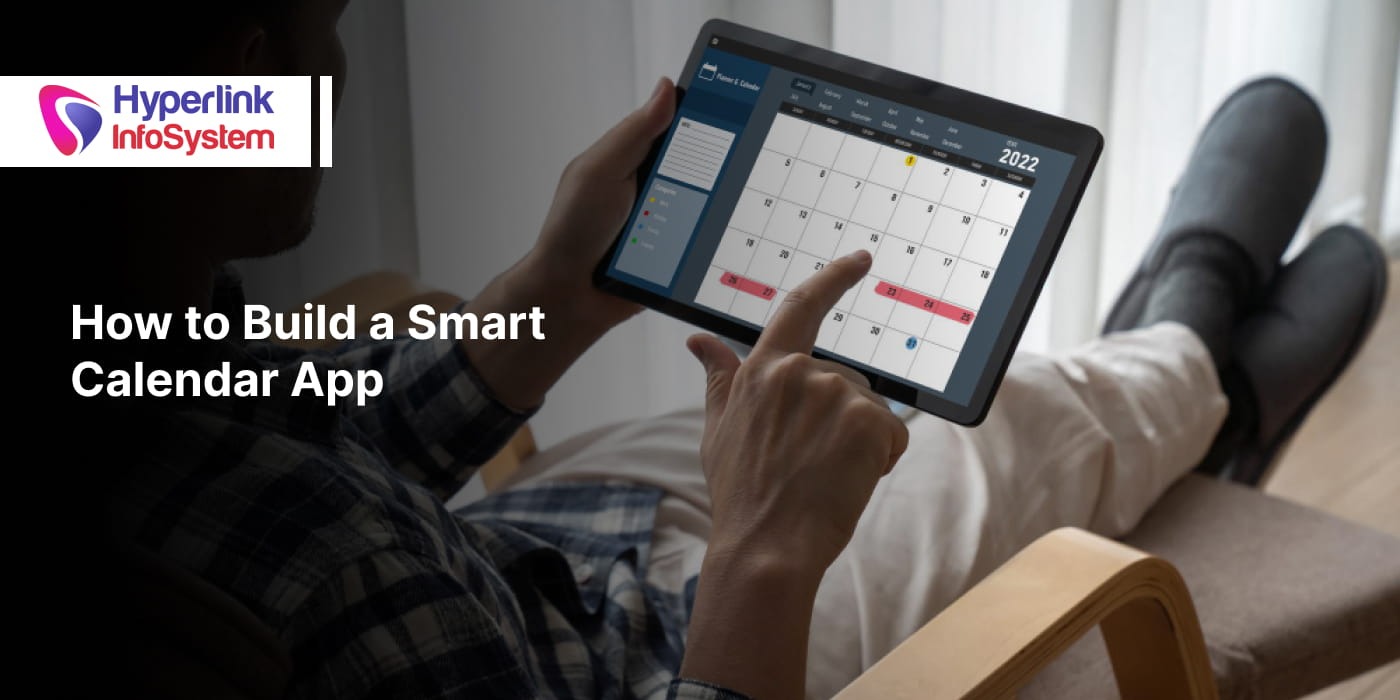

In most digital solutions, managing appointments, meetings, deliveries, events, and day-to-day activities has become an indispensable feature. Organizations from the fields of healthcare, education, transportation, travel, and business services have started incorporating scheduling tools into their software applications in order to streamline their processes and make their use more convenient for users. Customized calendar app development has therefore become one of the important factors driving organizations to opt for such solutions instead of relying on any third party.
On top of that, the increasing need for intelligent scheduling is visible in the market. As per Verified Market Reports, the estimated value of the calendar application market is USD 3.2 billion by 2026 and is expected to reach USD 7.4 billion in the coming years. This 12.5% increase in the market clearly indicates an evident trend. Organizations are investing in tools that can help them schedule meetings, collaborate, get reminders, and manage themselves using a single tool, unlike generic scheduling tools.
If you want to build a calendar app, it will be much more favourable if you make an elaborate plan from the get-go instead of trying to include an extensive list of features. Using an apt technology stack, good APIs, user-friendly design, and scalability are keys to success when it comes to building applications.
This guide covers everything you need to develop a calendar app, from the industries that benefit from the in-app calendars the most to the necessary development process and the other practical details. Keep reading to find out more!
Why Are Businesses Investing in Calendar Apps?
Companies are now interested in adding calendar features to their applications for easier scheduling, better coordination, and an enhanced user experience. Having a customized calendar application assists organizations in managing their businesses while retaining users on the same platform.
Some of the major benefits are:
- Appointment booking and scheduling
- Collaboration among team members and coordination among the workforce
- Increased productivity by planning tasks and reminders
- Real-time scheduling updates using connected devices
- Customer convenience due to self-service scheduling
- Flexibility gained through customized calendar app development
Industries That Benefit Most from In-App Calendar Integration
1) Healthcare
Clinics and telehealth portals run on appointments. An in-app calendar ties all the processes together and keeps them on track. Without even contacting the receptionist, patients can set up an appointment slot. While doctors can see what their schedule looks like for the whole day, automatic alerts reduce the number of appointments that don’t take place. Integration of calendars in portals servicing several doctors eliminates double-bookings and ensures synchronization of schedules across different sites.
2) Education
Schools, universities and even e-learning institutes make use of calendar applications to manage timetables, deadlines for assignments, and exam dates. This helps students have a single view for all things that are due or coming up, while avoiding the chaos associated with manual timetable management for the teacher. In case learning management systems provide live tutoring or cohort-based classes, time zone management is also automatically taken care of.
3) Logistics
The dispatch and fleet management process needs proper timing, and the use of a calendar within the application helps the dispatchers to coordinate their routes, check whether the driver is available or not, and make any changes to the schedule in case of any delay. The use of an in-app calendar helps the company to give the customers the correct time of delivery.
4) Travel and Hospitality
Hotels, airlines, and travel companies utilize calendars for making reservations, managing room availability, and making itinerary adjustments in real time. A good calendar system would ensure that no cases of overbooking occur and that customers are immediately confirmed instead of waiting for approvals. Seasonal fluctuations in the hospitality industry are easily managed with the help of calendar-based systems.
5) Streaming and Social Media
Both streaming websites and social media apps make use of calendar features to schedule the release of their content, live shows, premieres, virtual events, and other activities that take place for the creators. This helps in keeping their viewers engaged, and at the same time, helps content creators and businesses to plan out the release of their content on the calendar.
6) Fitness and Wellness
The gym, the trainer, and the wellness application use the calendar to keep track of class schedules, private training times, and renewal of the membership period. The user is able to book a time slot, receive a reminder prior to it, and change the booking without having to call.
7) Professional Services and Appointments
More often than not, consultants, salons, and other service-based businesses will require Calendly-type booking integrated within their own app, as opposed to using any third-party platform for the same. This will allow clients to have an easy time booking appointments while giving the business full control of availability, pricing, and branding.
Key Features Every Modern Calendar App Should Include
There are several basic functionalities that any good calendar application should have to retain a better performance consistently. Below is a list of some of these functionalities.
1) Scheduling & Event Management
At the heart of any calendar application. Users generate events that can be repeated on a daily, weekly, or monthly basis, carve out time to focus, and schedule tasks next to real-life events.
2) Notifications and Smart Reminders
Reminders prior to an event starting, notifications in case of any sudden change, and conflict alerts or deadline alerts. These elements add a new dimension to a well-planned calendar otherwise.
3) Collaboration Features
Availability is shared to enable immediate visibility of available slots, calendar sharing among teams, the ability to book available slots, and management of resources such as meeting rooms or equipment.
4) Personalization
Sorting filters based on categories and priorities, customized views according to days, weeks, or months, different themes according to user preferences, and more recently, speech recognition and AI recommendations to automatically schedule tasks.
Technology Stack Required to Create a Calendar App
The selection of the appropriate technology stack will be what determines how well your application performs, scales, is secure, and is maintainable. Below are some of the most commonly used technologies for developing a calendar application for scheduling purposes.
Programming Languages
|
PLATFORM |
RECOMMENDED LANGUAGES |
|
Android |
Kotlin, Java |
|
iOS |
Swift, Objective-C |
|
Cross Platform |
Dart (Flutter), JavaScript (React Native) |
|
Backend |
Java, JavaScript, Python, C# |
Database Options
|
DATABASE |
BEST USED FOR |
|
PostgreSQL |
Complex data structure schedules, booking rules, and enterprise applications |
|
MongoDB |
Flexible event management, dynamic data modeling and storing raw data from external integrations |
|
MySQL |
Traditional business applications and rapid booking requests for single-slot appointments |
|
Firebase Firestore |
Real-time synchronization and mobile-first applications |
|
Supabase |
Open source applications needing PostgreSQL with real-time support |
Design Tools
A simple yet effective interface is essential in designing calendars that people use daily.
- Figma for interface and collaborative prototyping.
- Adobe Illustrator for icons and visual elements.
- Sympli for handing designs to developers.
Testing Tools
Full testing is necessary to provide a quality calendar app regardless of the device or OS used.
- Postman for API testing.
- Appium for cross-platform mobile automation testing.
- TestFlight for beta testing (iOS).
- Firebase Crashlytics for crash reports and stability monitoring tests.
Calendar APIs and Libraries Worth Considering
The right choice of APIs and libraries can help reduce development time and improve functionality and compatibility. APIs help in integrating calendars seamlessly across varied platforms. While libraries render ready-made components that ease out interface development.
APIs
Core Integrations:
- Google Calendar API: Allows users to create, modify, and synchronize events using their existing Google Calendar. It is completely free, compatible, and very good for apps requiring easy scheduling.
- Apple EventKit: A native API allowing you to read and write calendar and reminders data in iOS applications. Essential for apps developed on the Apple platform.
- Microsoft Graph Calendar API: Links up applications to Outlook and Microsoft 365 calendars; thus, ideal for business scheduling purposes.
- CalDAV: A widely accepted open standard that facilitates the synchronization of calendar data from more than one provider. It provides more flexibility compared to having to work with a single vendor only.
Middleware and Aggregators:
- Nylas API: Offers an integrated solution for the integration of Google, Outlook, Exchange, and other calendar providers via a single API.
- Cronofy API: Offers an easy way to synchronize calendars along with enterprise-level scheduling and booking services.
Utility APIs:
- Calendarific: Provides application users with the ability to add country-specific holidays and events in the calendar.
- SuperSaaS: Offers scheduling and appointment reminder features, which make it suitable for service-based applications.
Libraries
Android
- Material Calendar View (Applandeo Edition): Highly Customizable library to develop modern calendar UI with capabilities of adding events, selecting dates, and many more.
- Kizitonwose Calendar: A flexible and Kotlin library developed to create custom day, week, month, and year calendar views.
iOS
- CalendarKit: A strong framework for designing interactive day view calendars using drag and drop scheduling features.
- EventKitUI: Built-in interface components by Apple that make event creation and editing easy and at the same time keep the native iOS look and feel.
- FSCalendar: A lightweight calendar library with highly customizable and good performance features.
Web
- FullCalendar.js: One of the most widely used JavaScript frameworks for designing responsive and fully featured calendars on the web.
- Kendo UI: Provides scheduling controls that have advanced customizability and data binding options for enterprise-level usage.
- Webix: A framework to create UIs including calendar widgets that can be used in business applications.
- Calendarize: A lightweight tool that provides calendar views for responsive designs.
- Schedule X: An interactive open-source scheduling library for web-based calendar applications.
Steps to Build a Calendar App in 2026
A successful calendar app goes through a similar path from idea to launch and then post-launch. All stages of development help in developing a reliable, scalable, and user-friendly product. Below is a step-by-step approach to create a calendar app.
1) Discovery and Requirements Analysis
Begin by determining the purpose of your application, who the intended users are, what its business objectives are, and what the fundamental requirements are related to scheduling. A clear vision of the product helps in prioritizing essential features.
2) Market Research
Undertake market research by studying competitors' products, user needs, and the trends in the industry to determine any gaps. This research assists in building the solution based on actual business and customer needs.
3) Design the User Experience
Design easy-to-use user experience workflows, wireframes, and interface designs for creating and scheduling events. A clean and easy user interface promotes more usage of the application.
4) Define the Application Architecture
Develop the architecture for the backend, database design, security framework, and synchronization strategy. This will enable the application to have chances for scalability and feature enhancements in the future.
5) Pick the Correct Technology Stack
Make use of technologies that can help you achieve your business goals, target required platforms, and scale accordingly. The correct technology stacks can improve performance and provide ease in maintenance.
6) Build the Core Application
Create necessary features including user authentication, scheduling of events, reminders, recurring events, notifications, and collaboration facilities prior to venturing into advanced features.
7) Implement Calendar APIs
Link the application with services like Google Calendar, Apple Calendar, Microsoft Outlook, or any other calendar applications for synchronized performance and enhanced user experience.
8) Testing on Multiple Devices
Test for functionality, usability, security, synchronization, and compatibility on several devices and platforms to guarantee a seamless and reliable scheduling experience.
9) Implementation and Release
The software is to be released following the completion of testing and analysis of its user feedback, performance, and stability during the initial rollout.
10) Maintenance and Upgrade
It is important to regularly update the software by making additions to features, updates in security, and compatibility improvements that will increase its reliability in meeting the demands of users.
Best Practices for Building a Scalable Calendar App
Developing an efficient calendar app that works well for a hundred users needs to also hold up just as well for a hundred thousand. The following are some of the best practices that make it possible:
- Facilitate synchronization on multiple devices: Ensure synchronization of the schedules, reminders, and updates in smartphones, tablets, desktop computers, and the web version of the application.
- Offer offline availability: Make the application work offline for users to view and update, and then synchronize it automatically after going back online.
- Security-first approach: Secure the information entered into the calendar through proper authentication and encryption with role-based access to avoid any mishaps.
- Time zone issues: Properly account for time zones so that no scheduling problems arise as a result of different time zones.
- Improve performance: A speedier load time and data synchronization will allow the scheduling tool to function better, resulting in more user activities.
- Design for accessibility: Design features that ensure ease of use, along with the ability to understand the text and the clear color contrast, will improve usability.
- Use of AI-based scheduling: Smart scheduling, meeting suggestions, reminders, and conflict resolution would help users schedule meetings more easily.
- Utilize device features: Location-based services, voice recognition, and biometric functionality would not only add to usability but also to intuitiveness of the design.
How Can Hyperlink InfoSystem Help You Build a Future-Ready Calendar App?
Creating a calendar application that can actually withstand over the period of time involves proper planning and implementation of technology. Being a top mobile application development company, Hyperlink InfoSystem is known for its technical expertise and experience in designing scalable calendar applications that can meet the needs of various businesses. We concentrate on building secure, efficient, and high-performing apps.
No matter whether you need customized calendar app development for a new product or want to implement scheduling features into an already existing application, our professionals will assist in delivering solutions that are aimed at long-term growth. Businesses that want to speed up development can also hire dedicated app developers with experience in mobile, web, cloud, and enterprise application development.
Build a Calendar App That Delivers Long-Term Value
With the continued adoption of digital transformation in enterprises, calendar apps have moved past being mere reminders and scheduling tools. Digital experiences, including artificial intelligence in scheduling, automation, and integration, are creating new levels of user experience expectation in every industry. Enterprises that consider scheduling as an essential component of their product offerings are the ones creating true value for their users.
Getting there takes the right technological decisions, having an effective development process in place, and also a team of developers that understands both the technologies and the business aspects of the problem. Companies that are planning to build a calendar app must be focused on scalability, usability, and integrations that will help to improve the application in the future.
An investment in the right development process will mean you will have a scheduled process that will assist your business to grow, engage users, and offer sustainable value. Need some more information on this or simply want to air your views? Talk to our experts!

Frequently Asked Questions
It depends on many aspects such as platform, level of complexity of the application, third-party integration, design, deployment architecture, etc. An application that incorporates AI functionality and collaboration features usually requires more financial resources than a regular scheduling application.
However, the rough estimates for developing a calendar app start at $15,000 for a base app and go up to $100,000 and above for an enterprise-level solution that includes advanced AI functionality. The final price largely depends on your particular business needs and features you are interested in.
The time required to develop the application varies depending on the complexity of the task. A simple version of the application can be created in a couple of months' time, but developing an elaborate application would take eight months or more, as per the complexity.
The correct answer depends on the objectives of the company. If the application needs basic scheduling functionalities, Google Calendar is preferable, but otherwise, building one’s own calendar app is better.
There are many APIs that are widely used, such as Google Calendar API, Apple EventKit, Microsoft Graph Calendar API, CalDAV, Nylas API, and Cronofy API. The choice is totally dependent on you as to which is more appropriate for your app.
All calendar applications rely on a synchronization method that involves the cloud and the secure use of APIs to ensure that there is consistency of events, reminders, and updates across all devices such as smartphones, computer systems, and web applications.
Harnil Oza is the CEO & Founder of Hyperlink InfoSystem. With a passion for technology and an immaculate drive for entrepreneurship, Harnil has propelled Hyperlink InfoSystem to become a global pioneer in the world of innovative IT solutions. His exceptional leadership has inspired a multiverse of tech enthusiasts and also enabled thriving business expansion. His vision has helped the company achieve widespread respect for its remarkable track record of delivering beautifully constructed mobile apps, websites, and other products using every emerging technology. Outside his duties at Hyperlink InfoSystem, Harnil has earned a reputation for his conceptual leadership and initiatives in the tech industry. He is driven to impart expertise and insights to the forthcoming cohort of tech innovators. Harnil continues to champion growth, quality, and client satisfaction by fostering innovation and collaboration.
Latest Blogs




Is BlockChain Technology Worth The H ...
Unfolds The Revolutionary & Versatility Of Blockchain Technology ...


IoT Technology - A Future In Making ...
Everything You Need To Know About IoT Technology ...
Feel Free to Contact Us!
We would be happy to hear from you, please fill in the form below or mail us your requirements on info@hyperlinkinfosystem.com
Hyperlink InfoSystem Bring Transformation For Global Businesses
Starting from listening to your business problems to delivering accurate solutions; we make sure to follow industry-specific standards and combine them with our technical knowledge, development expertise, and extensive research.

4500+
Apps Developed

1200+
Developers

2200+
Websites Designed

140+
Games Developed

120+
AI & IoT Solutions

2700+
Happy Clients

120+
Salesforce Solutions

40+
Data Science

